
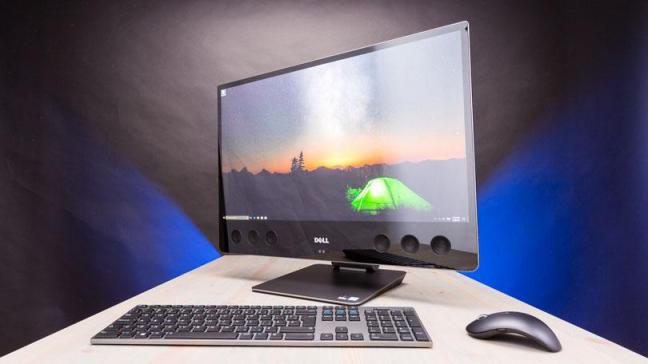
Introduction Of Computer
A computer is a general-purpose device that can be programmed to carry out a set of arithmetic or logical operations automatically. Since a sequence of operations can be readily changed, the computer can solve more than one kind of problem.
A computer is an electronic device that takes input such as raw data which can be numbers, text, sound, image, animations, video, etc., processes it, and converts it into meaningful information that could be understood, presenting the changed input (processed input) as output. All numbers, text, sound, images, animations, and video used as input are called data, and all numbers, text, sound, images, animations, and video returned as output are called information.
Conventionally, a computer consists of at least one processing element, typically a central processing unit (CPU), and some form of memory. The processing element carries out arithmetic and logic operations, and a sequencing and control unit can change the order of operations in response to stored information. Peripheral devices allow information to be retrieved from an external source, and the result of operations saved and retrieved.
A computer performs basically five major operations or functions irrespective of their size and make. These are
- It accepts data or instructions by way of input,
- It can process data as required by the user,
- It gives results in the form of output,
- It stores data , and
- It controls the data processing.
Peripheral device:
The devices which are connected to the computer and controlled by the microprocessor are the peripheral devices. E.g.: Keyboard, Mouse, Printer, speaker, monitor etc.
Advantages of computers:
- Increases speed of computing and processing information in any other
- People can use sophisticated statistical and mathematical tools for decision making and further purposes without learning in details the algorithms used for
- Computers can store large volumes of information without occupying too much space, as is in the case of information stored in form of books and paper
- Computer processing eliminates the human errors of computing and information
- Information once entered in computer system can be easily accessed by the same person or other persons at different times for different persons. This reduces the work load of capturing same information multiple times for different purposes.
- The work of entering and editing information is made mush more easy and simple by software that offers many powerful user friendly features for performing these
- Computer now offer sophisticated and powerful software for representing information in rich formats with visual and video
- Computers combined with communication technology offer very fast speed and rich communication facility at low
- Computers, with all these features are now used for automating all kinds of equipment and
Disadvantage of Computers
- Although the cost is decreasing, still these equipment are and continue to be much more costly as compared to manual processing
- Technological complexity of this equipment makes it more difficult to learn and maintain these equipments as compared to equipments of manual information
- Use of computers require additional infrastructure, such as power supply and software back up. This increases the chances of problems due to failure of infrastructure. For example, a computer will not work where there is no electric power supply. Even a laptop with a battery will work without power supply only for a limited
- Failures of computer system can be more serious and difficult to correct. For example, one scratch on a hard disk can make the complete data on the disk
- Computers generally reduce the errors of processing. However if there is an error in input data, it can result in major blunders in the processing which the computer system is unable to detect. In manual systems the chances of such blunders passing undetected and corrected is much
History Of computer
– The Beginning…
The history of computers starts out about 2000 years ago, at the birth of the abacus, a wooden rack holding two horizontal wires with beads strung on them. When these beads are moved around, all regular arithmetic problems can be done. Another important invention around the same time was the Astrolabe, used for navigation. Blaise Pascal is usually credited for building the first digital computer in 1642. It added numbers entered with dials and was made to help his father, a tax collector.
A lot of improved desktop calculators by many inventors followed, so that by about 1890, the range of improvements included:
- Accumulation of partial results
- Storage and automatic reentry of past results (A memory function)
- Printing of the results
– Babbage
In 1812, Babbage realized that many long calculations, especially those needed to make mathematical tables, were really a series of predictable actions that were constantly
repeated. From this he suspected that it should be possible to do these automatically. He began to design an automatic mechanical calculating machine, which he called a difference engine. By 1822, he had a working model to demonstrate with. With financial help from the British government, Babbage started fabrication of a difference engine in 1823. It was intended to be steam powered and fully automatic, including the printing of the resulting tables, and commanded by a fixed instruction program. The difference engine, although having limited adaptability and applicability, was really a great advance. Babbage continued to work on it for the next 10 years, but in 1833 he lost interest because he thought he had a better idea — the construction of what would now be called a general purpose, fully program-controlled, automatic mechanical digital computer.
– Use of Punched Cards by Hollerith
A step towards automated computing was the development of punched cards, which were first successfully used with computers in 1890 by Herman Hollerith and James Powers, who worked for the US Census Bureau. They developed devices that could read the information that had been punched into the cards automatically, without human help. Because of this, reading errors were reduced dramatically, work flow increased, and, most importantly, stacks of punched cards could be used as easily accessible memory of almost unlimited size. These computers used electromechanical devices in which electrical power provided mechanical motion — like turning the wheels of an adding machine. Such systems included features to:
- feed in a specified number of cards automatically
- add, multiply, and sort
- feed out cards with punched results
– Electronic Digital Computers
The start of World War II produced a large need for computer capacity, especially for the military. New weapons were made for which trajectory tables and other essential data were needed. In 1942, John P. Eckert, John W. Mauchly and their associates at the Moore school of Electrical Engineering of University of Pennsylvania decided to build a high – speed electronic computer to do the job. This machine became known as ENIAC (Electrical Numerical Integrator And Calculator) The size of ENIAC‘s numerical “word” was 10 decimal digits, and it could multiply two of these numbers at a rate of 300 per second, by finding the value of each product from a multiplication table stored in its memory. ENIAC was therefore about 1,000 times faster than the previous generation of relay computers. ENIAC used 18,000 vacuum tubes; about 1,800 square feet of floor space, and consumed about 180,000 watts of electrical power. It had punched card I/O, 1 multiplier, 1 divider/square rooter, and 20 adders using decimal ring counters, which served as adders and also as quick-access (.0002 seconds) read-write register storage.
– The Modern Stored Program
Fascinated by the success of ENIAC, the mathematician John Von Neumann undertook, in 1945, an abstract study of computation that showed that a computer should have a very simple, fixed physical structure, and yet be able to execute any kind of computation by means of a proper
programmed control without the need for any change in the unit itself. Von
Neumann contributed a new awareness of how practical, yet fast computers should be organized and built. These ideas, usually referred to as the stored – program technique, became essential for future generations of high – speed digital computers and were universally adopted.
The Stored – Program technique involves many features of computer design and function besides the one that it is named after. In combination, these features make very – high – speed operation attainable. A glimpse may be provided by considering what 1,000 operations per second means. If each instruction in a job program were used once in consecutive order, no human programmer could generate enough instruction to keep the computer busy. Arrangements must be made, therefore, for parts of the job program (called subroutines) to be used repeatedly in a manner that depends on the way the computation goes. Also, it would clearly be helpful if instructions could be changed if needed during a computation to make them behave differently.
– Advances in the 1960’s
In the 1960’s, efforts to design and develop the fastest possible computer with the greatest capacity reached a turning point with the LARC machine, built for the Livermore Radiation Laboratories of the University of California by the Sperry – Rand Corporation, and the Stretch computer by IBM. The LARC had a base memory of 98,000 words and multiplied in 10 Greek MU seconds. Stretch was made with several degrees of memory having slower access for the ranks of greater capacity, the fastest access time being less than 1 Greek MU Second and the total capacity in the vicinity of 100,000,000 words.
CPU’s for these uses did not have to be very fast arithmetically and were usually used to access large amounts of records on file, keeping these up to date. By far, the most number of computer systems were sold for the more simple uses, such as hospitals (keeping track of patient records, medications, and treatments given). They were also used in libraries, such as the National Medical Library retrieval system, and in the Chemical Abstracts System, where computer records on file now cover nearly all known chemical compounds.
– More Recent Advances
The trend during the 1970’s was, to some extent, moving away from very powerful, single – purpose computers and toward a larger range of applications for cheaper computer systems. Most continuous- process manufacturing, such as petroleum refining and electrical-power distribution systems, now used computers of smaller capability for controlling and regulating their jobs.
In the 1960’s, the problems in programming applications were an obstacle to the independence of medium sized on-site computers, but gains in applications programming language technologies removed these obstacles.
In the 1950s it was realized that “scaling down” the size of electronic digital computer circuits and parts would increase speed and efficiency and by that, improve performance, if they could only find a way to do this. About 1960 photo printing of conductive circuit boards to eliminate wiring became more developed.
In the 1980’s, very large scale integration (VLSI), in which hundreds of thousands of transistors were placed on a single chip, became more and more common. Many
companies, some new to the computer field, introduced in the 1970s programmable minicomputers supplied with software packages.
Many companies, such as Apple Computer and Radio Shack, introduced very successful PC’s in the 1970s, encouraged in part by a fad in computer (video) games. In the 1980s some friction occurred in the crowded PC field, with Apple and IBM keeping strong. In the manufacturing of semiconductor chips, the Intel and Motorola Corporations were very competitive into the 1980s, although Japanese firms were making strong economic advances, especially in the area of memory chips.
By the late 1980s, some personal computers were run by microprocessors that, handling 32 bits of data at a time, could process about 4,000,000 instructions per second. Microprocessors equipped with read-only memory (ROM), which stores constantly used, unchanging programs, now performed an increased number of process-control, testing, monitoring, and diagnosing functions, like automobile ignition systems, automobile-engine diagnosis, and production-line inspection duties. Cray Research and Control Data Inc. dominated the field of supercomputers, or the most powerful computer systems, through the 1970s and 1980s.
In the early 1980s, however, the Japanese government announced a gigantic plan to design and build a new generation of supercomputers. This new generation, the so-called “fifth” generation, is using new technologies in very large integration, along with new programming languages, and will be capable of amazing feats in the area of artificial intelligence, such as voice recognition.
Generation of Computer
Each generation of computer is characterized by a major technological development that fundamentally changed the way computers operate, resulting in increasingly smaller, cheaper, and more powerful and more efficient and reliable devices. The various generations of computers are listed below:
1. First Generation Computer (1945 – 1955)
Characteristics of first generation computers
- They used valves or vacuum tubes as their main electronic
- They are large in size, slow in processing (milliseconds) and had less storage
- They consumed lots of electricity and produced lots of heat, with limited
- They were not accurate and
- Their computing capabilities were
- They used machine level language for programming
- They were very
- Punched cards and paper tape were invented to feed programs and data and to get
- Magnetic tape / magnetic drum were used as secondary memory
- Mainly used for scientific
- Example: ENIAC (Electronic Numerical Integrator Automated Computer), EDVAC (Electronic Discrete Variable Automatic Computer), EDSAC (Electronic Delay Storage Automatic Computer) UNIVAC (UNIVersal Automatic Computer), IBM 650, etc.
2. Second Generation Computer (1955 – 1965)
- They used transistors, instead of vacuum tubes for CPU
- Processing speed is faster than 1G computer (Microsecond).
- Smaller in size (51 sq.ft)
- Input output devices were
- They used ferrite cores for main memory and magnetic disks and magnetic tapes for secondary memory.
- They used high level languages such as FORTRAN, ALGOCL, and
- Punched cards continued during this period
- Increasingly used in business, industry and commercial organizations for preparation of payroll, inventory control, marketing, production planning, research, scientific & engineering analysis and design
- Example: IBM 1400 and 7000 series, DDC (Digital Data Corporation)’s PDP 1/5/8, Control Data3600,
Honeywell 400, etc.
3. Third Generation Computer (1965-1975)
A single IC has many transistors, registers and capacitors built on a single thin slice of silicon. So it is quite obvious that the size of the computer got further reduced.
Characteristics of third generation computer
- They used IC chips in place of the transistors
- Semi conductor memory devices were
- The size was greatly reduced
- The speed of processing was
- They were more accurate and
- The mini computers were introduced in this
- They used high level language for
- Example: IBM 360, IBM 370, etc.
4. Fourth Generation Computer (1976-1990)
An IC containing about 100 components is called LSI and the one, which has more than 1000 such components, is called as VLSI. Due to the development of microprocessor it is possible to place computer’s CPU on single chip. These computers are called micro computers.
Characteristics of fourth generation computer
- They used microprocessor (VLSI) as their main switching
- They are also called as micro computers or personal
- Their size varies from desktop to laptop or
- They have very high speed of processing
- They are 100% accurate, reliable, diligent and
- They have very large storage
- Keyboards, dot matrix printers etc weredeveloped
- OS such as MS-DOS, UNIX, Apple-Macintosh, etc were
- CRT screen, laser & ink jet printers, scanners etc were
- Semiconductor memory chips were used as the main
- Secondary memory was composed of hard disks – Floppy disks & magnetic tapes were used for backup memory
- Parallelism, pipe lining cache memory and virtual memory were applied in a better way
- LAN and WANS were developed (where desktop work stations interconnected)
- Introduced Graphical User Interface
- Example:IBM Pc, Apple-Macintosh, Intel’s 8088,80286,80386,80486 .., Motorola’s 68000, 68030,
68040, Apple II, CRAY I/2/X/MP etc
5. Fifth Generation Computer (1991- Continued)
- (IBM notebooks, Pentium PCs-Pentium 1/2/3/4/Dual core/Quad core.. SUN work stations, Origin 2000, PARAM 10000, IBMSP/2)
- Generation number beyond IV, have been used occasionally to describe some current computer system that have a dominant organizational or application driven
- Computers based on artificial intelligence are available
- Computers use extensive parallel processing, multiple pipelines, multiple processors etc
- Massive parallel machines and extensively distributed system connected by communication networks fall in this
- Introduced ULSI (Ultra Large Scale Integration) technology – Intel’s Pentium 4microprocessor
contains 55 million transistors millions of components on a single IC chip.
- Super scalar processors, Vector processors, SIMD processors, 32 bit micro controllers and embedded processors, Digital Signal Processors (DSP) etc have been
- Memory chips up to 1 GB, hard disk drives up to 180 GB and optical disks up to 27 GB are available (still the capacity is increasing)
- Object oriented language like JAVA suitable for internet programming has been
- Portable note book computers introduced
- Storage technology advanced – large main memory and disk storage available
- Introduced World Wide
- New operating systems developed – Windows 95/98/XP/…, LINUX,
- Quantum mechanism and nanotechnology will radically change the phase of
Types of Computer:
– Classification according to size:
· Super Computer:
They are focused on performing specific actions and follow heavy extremely intense and critical calculations like weather forecasting, fluid dynamics etc. They are generally used by scientists and are very powerful and expensive. The speed with which they operate is highly blazing.
· Mainframe Computer:
They are the typical large computing machines which occupied extremely large space, more than the size of the rooms today. They were capable of operating multiple users via single interface and typically operated more than million instructions per second.
· Mini Computer:
They are the intermediate solutions between Mainframe computers and Micro Computers. And they are also known as mid-range computers.
· Micro Computer:
Microcomputers came into picture as computers having single chip micro processors. They are the most common computers being used for domestic / commercial purposes now days. They also include solutions like Desktop Computers, Game Consoles, Tablet Computers, and Smart Phones etc. They are basically portable and carry very less space.
Micro Computer can be further classified as:
– Desktop
A computer designed to fit comfortably on top of a desk, typically with the monitor sitting on top of the computer. Desktop model computers are broad and low, because of their shape, desktop model computers are generally limited to internal mass storage devices.
- Laptop
A small, portable computer — small enough that it can sit on your lap. Nowadays, laptop computers are more frequently called notebook computers.
- Palmtop
A small computer that literally fits in your palm. Compared to full-size computers, palmtops are severely limited, but they are practical for certain functions such as phone books and calendars. Palmtops that use a pen rather than a keyboard for input are often called hand-held computers.
Classification according to work
· Analog Computers
Analog computers are used to process analog data. Analog data is of continuous nature and which is not discrete or separate. Such type of data includes temperature, pressure, speed weight, voltage, depth etc. These quantities are continuous and having an infinite variety of values.
It measures continuous changes in some physical quantity e.g. The Speedometer of a car measures speed, the change of temperature is measured by a Thermometer, the weight is measured by Weights machine. These computers are ideal in situations where data can be accepted directly from measuring instrument without having to convert it into numbers or codes.
· Digital Computers
A Digital Computer, as its name implies, works with digits to represent numerals, letters or other special symbols. Digital Computers operate on inputs which are ON-OFF type and its output is also in the form of ON-OFF signal. Normally, an ON is represented by a 1 and an OFF is represented by a
- So we can say that digital computers process information which is based on the presence or the absence of an electrical charge or we prefer to say a binary 1 or 0.
The results of digital computers are more accurate than the results of analog computers. Analog computers are faster than digital. Analog computers lack memory whereas digital computers store information. We can say that digital computers count and analog computers measures.
· Hybrid Computers
A hybrid is a combination of digital and analog computers. It combines the best features of both types of computers, i-e. It has the speed of analog computer and the memory and accuracy of digital computer. Hybrid computers are used mainly in specialized applications where both kinds of data need to be processed. Therefore, they help the user, to process both continuous and discrete data. For example a petrol pump contains a processor that converts fuel flow measurements into quantity and price values. In hospital Intensive Care Unit (ICU), an analog device is used which measures patient’s blood pressure and temperature etc, which are then converted and displayed in the form of digits. Hybrid computers for example are used for scientific calculations, in defense and radar systems.
– Classification of the computer on the basis of brand
Computers can be classified into various classes according to on the basis of working principle, on the basis of size, on the basis of brand. On the basis of brand computers are classified in to three types IBM PC, IBM compatible, Apple/Macintosh.
· IBM PC:
The computers manufactured by IBM (International Business Machine) company are called IBM computers. The microcomputers of IBM companies are called IBM PC. IBM is one of the leading companies in computer industry.
· IBM Compatible:
Computers developed on the principle of IBM computers are called IBM Compatible. It can perform all the tasks that an IBM computer does. They are less expensive than original (IBM) computers.
· Apple Computer:
A personal computers manufactured by the Apple Companies are called Apple Computers. They are specially used in Desktop-Designing. They are quite expensive than IBM and IBM Compatible. The operating system and other peripherals are completely different then IBM and IBM Compatibles.
Basic Characteristics of computer:
a) Speed
Computer can work very fast. It takes only few seconds for calculations that we take hours to complete. The speed of computer is determined in terms of microsecond or nanoseconds.
Speed Measurement Units
Units Equivalent
1000th of a second 1 Milliseconds (MS)
1000th of a milliseconds 1 Microseconds (μs)
1000th of a microseconds 1 Nanosecond (ns)
1000th of a nanoseconds 1 Picoseconds (ps)
1000th of a picoseconds 1 Femtoseconds (fs)
b) Accuracy
The degree of accuracy of computer is very high and every calculation is performed with the same accuracy. The errors in computer are due to human and inaccurate data.
c) Versatile
It means the capacity to perform completely different type of works. We may use our computer to prepare payrolls slips, next moment we may use it for inventory management or to prepare electricity bills, etc.
d) Diligence
A computer is free from tiredness, lack of concentration, fatigue, etc. It can work for hours without creating any error. If millions of calculations are to be performed, a computer will perform every calculation with the same accuracy.
e) Power to remember
Computer has the power of storing any amount of information or data. Any information can be stored and recalled as long as we require it, for any numbers of years. It depends entirely upon us how much data we want to store in a computer and when to lose or retrieve these data.
f) No IQ:
Computer is a dumb machine and it cannot do any work without instruction from the user. It performs the instructions at tremendous speed and with accuracy. It is we to decide what we want to do and in what sequence. So a computer cannot take its own decision as we can.
g) No feeling:
It does not have feelings or emotions, taste, knowledge and experience. Thus it does not get tired even after long hours of work. It does not distinguish between users.
h) Storage:
The computer has an in-built memory where it can store a large amount of data. We can store data in secondary storage devices such as CD, floppies, which can be kept outside our computer and can be carried to other computers.
Space Measurement Units
Units Equivalent
0 or 1 1 Bit
4 bits 1 Nibble
8 bits 1 Byte
1024 bytes 1 Kilobytes (KB)
1024 Kilobytes 1 Megabyte (MB)
1024 Megabytes 1 Gigabytes (GB)
1024 Gigabytes 1 Terabytes (TB)
1024 Terabytes 1 Petabyte (PB)
1024 Petabytes 1 Exabyte (EB)
Application of Computer
– Business
A computer has high speed of calculation, diligence, accuracy, reliability, or versatility which made it an integrated part in all business organizations.
Computer is used in business organizations for:
- Payroll calculations
- Budgeting
- Sales analysis
- Financial forecasting
- Managing employees database
- Maintenance of stocks
– Banking
Today banking is almost totally dependent on computer. Banks provide following facilities:
- Banks provide online accounting facility, which includes current balances, deposits, overdrafts, interest charges, shares, and trustee
- ATM machines are making it even easier for customers to deal with
– Insurance
Insurance companies are keeping all records up-to-date with the help of computers. The insurance companies, finance houses and stock broking firms are widely using computers for their concerns.
Insurance companies are maintaining a database of all clients with information showing
- procedure to continue with policies
- starting date of the policies
- next due installment of a policy
- maturity date
- interests due
- survival benefits
- bonus
– Education
The computer has provided a lot of facilities in the education system.
- The computer provides a tool in the education system known as CBE (Computer Based Education).
- CBE involves control, delivery, and evaluation of learning.
- The computer education is rapidly increasing the graph of number of computer students.
- There are number of methods in which educational institutions can use computer to educate the students.
- It is used to prepare a database about performance of a student and analysis is carried out on this basis.
– Marketing
In marketing, uses of computer are following:
- Advertising – With computers, advertising professionals create art and graphics, write and revise copy, and print and disseminate ads with the goal of selling more
- At Home Shopping – Home shopping has been made possible through use of computerized catalogues that provide access to product information and permit direct entry of orders to be filled by the
– Health Care
Computers have become important part in hospitals, labs, and dispensaries. The computers are being used in hospitals to keep the record of patients and medicines. It is also used in scanning and diagnosing different diseases. ECG, EEG, Ultrasounds and CT Scans etc., are also done by computerized machines.
Some major fields of health care in which computers are used are:
- Diagnostic System – Computers are used to collect data and identify cause of
- Lab-diagnostic System – All tests can be done and reports are prepared by
- Patient Monitoring System – These are used to check patient’s signs for abnormality such as in Cardiac Arrest, ECG
- Pharma Information System – Computer checks Drug-Labels, Expiry dates,harmful
drug’s side effects etc.
- Surgery: Nowadays, computers are also used in performing
– Engineering Design
Computers are widely used in engineering purpose.
One of major areas is CAD (Computer aided design). That provides creation and modification of images. Some fields are:
- Structural Engineering – Requires stress and strain analysis for design of Ships, Buildings, Budgets, and Airplanes
- Industrial Engineering – Computers deal with design, implementation and improvement of integrated systems of people, materials and
- Architectural Engineering – Computers help in planning towns, designing buildings, determining a range of buildings on a site using both 2D and 3D
– Military
Computers are largely used in defense. Modern tanks, missiles, weapons etc. Military also employs computerized control systems. Some military areas where a computer has been used are:
- Missile Control
- Military Communication
- Military Operation and Planning
- Smart Weapons
– Communication
Communication means to convey a message, an idea, a picture or speech that is received and understood clearly and correctly by the person for whom it is meant for. Some main areas in this category are:
- Chatting
- Usenet
- FTP
- Telnet
- Video-conferencing
– Government
Computers play an important role in government. Some major fields in this category are:
- Budgets
- Sales tax department
- Income tax department
- Male/Female ratio
- Computerization of voters lists
- Computerization of driving licensing system
- Computerization of PAN card
- Weather forecasting

